AI Automation and Agents
What Business Process Should You Automate With AI First?
What business process should you automate with AI first? Use a practical selection test, safety checks and a pilot scorecard to avoid automating the wrong work.
By Waqas Amjad 13 min read
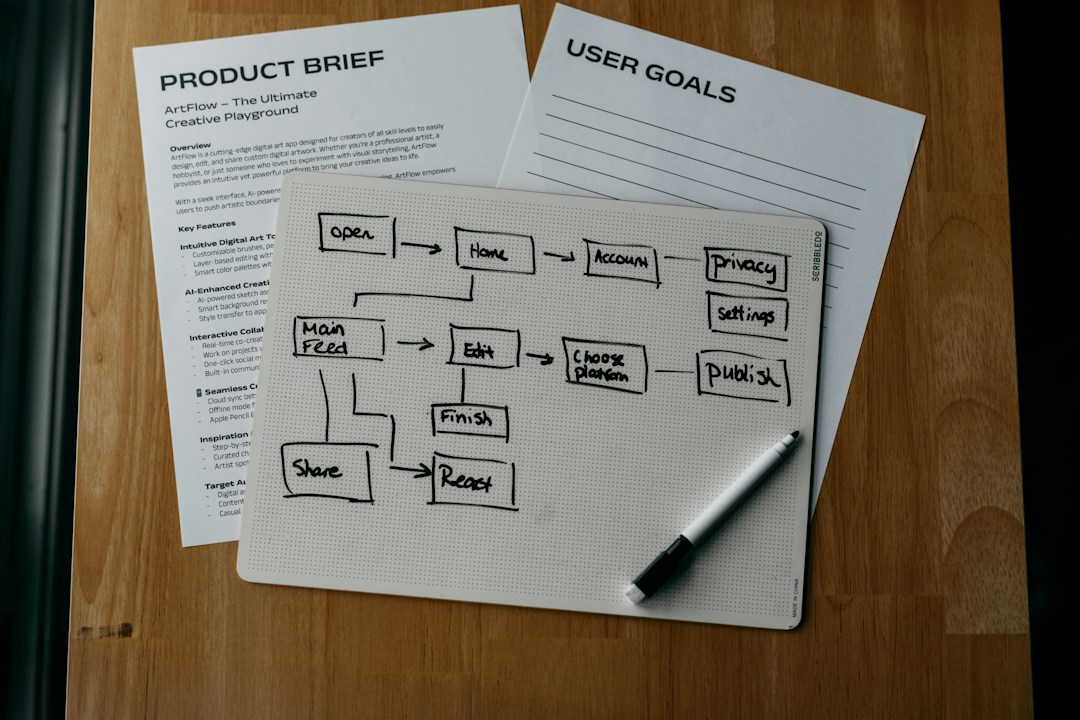
The lead came in after closing. By morning, it has been copied into a spreadsheet, assigned in a chat and entered again in your CRM. Someone suggests an AI agent. But what business process should you automate with AI first: answering the lead, moving its details, or deciding who owns the follow-up?
Start with the smallest recurring handoff that costs you time or revenue and can be checked before it affects a customer. Map the work, remove needless steps, and use a simple rule where a rule will do. Add AI only where understanding a call, message or document changes the outcome. That decision matters more than the demo.
What business process should you automate with AI first?
Choose a frequent, bounded process with a visible business outcome, a named owner and mistakes you can catch. For many operators, the best candidate is one handoff inside a larger workflow, not the whole department.
Consider inbound enquiries. The process includes receiving a call, identifying what the person needs, checking whether they fit, assigning the right person, recording details and following up. Those are different jobs. A calendar rule might handle assignment; an agent might summarize the call; a person might decide whether to make an unusual promise. Calling the entire thing an AI project hides the decision you actually need to make.
Start by writing the outcome at the top of a page: more qualified appointments booked, fewer leads waiting overnight, or fewer order records needing correction. Then write the current path from trigger to finished work. If you cannot name where the work starts or who accepts its final output, you do not yet have a pilot. You have a loose ambition.
There is evidence that the surrounding system matters. In Microsoft's 2026 Work Trend Index, organizational factors such as culture, manager support and talent practices were more strongly associated with workers' self-reported AI impact than individual factors. The analysis covers AI-using knowledge workers across ten markets, not an SMB-only sample, and Microsoft says the relationship is not causal. I take a narrower operational lesson from it: an agent without ownership and review is a poor substitute for a working process.
- Write the desired result in business terms, not number of AI tasks completed.
- Name the person accountable for the result and the person who checks outputs.
- Limit the first test to one handoff, channel or customer segment.
Do this now: Pick one process that repeats this week and write down its trigger, owner and completed outcome in three lines.
How do you find the real bottleneck before buying an AI tool?
Follow real work through the business, including the exceptions. The bottleneck is often where information waits, gets retyped or returns for correction, rather than the task people complain about most loudly.
Take five recent instances of the same job. Include an ordinary case, a messy case and at least one that failed. For each, trace who touched it, which system held the source information and where it waited. If your team says a report takes an afternoon, ask how much of that time is gathering numbers, reconciling mismatched fields or deciding what the numbers mean. Only one of those steps may call for AI.
Use this short workflow audit before AI:
- Mark the trigger. A missed call, submitted form or incoming support message is a trigger. "The sales team is busy" is not.
- Draw each handoff. Show when information moves between people, your CRM, helpdesk, inbox and spreadsheet. Note which version is authoritative.
- Record the exception path. What happens when a customer disputes an order, a lead asks for a special price or a required field is missing?
- Count the correction loop. Note when a person has to reopen, verify or rewrite the output. Time saved at the first step can come back as rework.
- Identify the decision right. Who can approve a refund, send a commitment or change a customer record? Do not let tool access quietly become decision authority.
What we see in practice is a temptation to automate the visible nuisance while leaving the awkward handoff untouched. If sales must still hunt for the right record and chase approval, a faster summary does not solve the delay. I'd fix the handoff first, even when that makes for a less impressive demonstration.
Do this now: Walk five completed cases with the person who actually did the work. Circle the waiting point and the repeated correction, then decide which one has the larger cost.
When is a rule or integration better than an AI agent?
Use the simplest method that can finish the job reliably. A fixed trigger and a predictable action usually call for a rule or integration; variable language or documents might justify an AI step, with a person retaining authority where needed.
| Work you found | First option to test | What stays with a person |
|---|---|---|
| Copy a valid form field into the CRM | Native integration or field mapping | Review rejected and duplicate records |
| Route an enquiry by location and availability | Routing rule | Resolve exceptions and owner disputes |
| Turn varied call notes into a draft summary | AI-assisted extraction with source check | Approve important facts before they enter the record |
| Answer routine questions from approved material | Narrow knowledge agent with escalation | Handle complaints, uncertain answers and commitments |
| Issue refunds or promise custom terms | Human-led process, perhaps with a draft or lookup step | Make and authorize the decision |
This is a decision table, not a claim that each tool works for every company. Check what your existing systems already support before paying to connect another platform. And if the task is unreliable because two teams use conflicting definitions, resolve the definition before automating either version.
Our custom software and integrations work starts with that distinction: improve what exists, connect systems when the boundary is the problem, and build only when the workflow genuinely needs it. For AI specifically, our AI automation and agents service maps the work before selecting an agent and keeps approval for consequential actions.
Do this now: Put one candidate into the table. If a rule solves it, test the rule before asking anyone to build an agent.
Which first AI workflow is worth testing?
Choose the candidate that combines meaningful volume, clean access to approved inputs, low exposure if it fails and a measurable result. A high-cost mistake can outweigh a large pile of hours saved.
I would score candidates with evidence beside each answer, rather than give a false-precision number. A process with no accountable owner is not ready, however attractive its time-saving estimate looks. Use these questions in a meeting with the person who runs the work:
- Frequency: How often did this exact job occur in the last normal operating period? Use your own logs, not someone's guess.
- Business cost: What happens while it waits: a missed booking, slower cash collection or time taken from customer-facing work?
- Input quality: Are the documents, recordings or fields accessible, current and approved for this use?
- Variation: Can you describe the routine path and list the main exceptions without inventing a new policy?
- Failure containment: Can you review the output before it changes a record or reaches a customer? Can you switch the workflow off?
- Measurement: Is there a baseline for the outcome you want, including errors and review time?
A low-risk first AI workflow for a service business could be a draft summary after a call. The agent extracts the requested service and next action from a recording; a person verifies them before updating the CRM. A higher-risk candidate is letting an agent quote special terms to a caller. Both are technically possible. Only one is a sensible early test when your pricing exceptions live in people's heads. These are illustrative scenarios, not client results.
The buyer's question isn't "Can the model do this?" It is "What happens when it gets the unusual case wrong?" If the answer is unclear, shrink the scope until the error is easy to catch.
Do this now: Compare two candidate handoffs against the six questions. Select the one with a clear baseline and a reversible failure, not simply the biggest imagined saving.
How do you make AI automation safe for a small business?
Give the pilot only the data and authority its narrow job requires, then define approval and escalation before launch. Safety is a design choice in the workflow, not a sentence added to the employee handbook afterward.
The concern is not hypothetical. In Microsoft Canada's 2025 SMB survey, 27% of the 300 Canadian decision-makers surveyed cited concerns around privacy, cybersecurity and employee training. Separately, Microsoft's 2026 Data Security Index says 32% of surveyed organizations' data security incidents involved generative AI tools. That second finding draws on security leaders across organizations, not a small-business-only sample. Neither figure measures the risk of your particular pilot.
For the first deployment, I would keep permissions narrow: the agent can read only approved material and create a draft, but cannot send, spend, refund or change a source record without the required approval. Decide what customer information it may receive, where that information goes, how long it is kept and who can inspect its actions. Have the relevant owner check your contractual and legal obligations before real customer data is used.
Then write an escalation rule in plain language. If the answer is uncertain, the customer is unhappy, or the request involves money or a promise, pass the case to a person with the context attached. Record what the agent saw, proposed and did. Test the route with awkward cases before opening the workflow to live traffic.
Microsoft's 2026 Work Trend Index also points to documented human handoffs, quality standards and review of agent performance as operating practices. That is more useful to an owner than a blanket instruction to "use AI responsibly."
Do this now: Write down the agent's permitted reads, permitted writes, approval point, escalation owner and off switch. If any one is missing, keep the pilot in draft-only mode.
How do you measure whether the pilot actually helped?
Compare the business outcome and the full cost of getting there, not the speed of the AI step alone. A fast draft that needs extensive correction is not a time-saving system.
Before changing the workflow, capture a normal period from your own records. For an inbound lead process, record how long it takes to reply, how many qualified enquiries turn into booked appointments, how many records need correction and how much staff time goes into follow-up. For a support process, record resolution time, repeat contacts, escalations and complaints. Make the measure fit the work; don't borrow someone else's benchmark.
During the pilot, keep the scope fixed long enough to compare similar cases. Track four things together: the outcome, total staff time including review, error or rework rate, and cases handed to a human. Separate ordinary cases from exceptions. Otherwise a rise in volume or a change in lead quality can make the result look better or worse than the workflow deserves.
The review meeting needs a decision, not another dashboard. If the outcome improves and exceptions remain manageable, expand to a neighboring case. If errors rise, reduce authority or improve the source material. If a plain integration would do the job for less effort, replace the agent. A stopped pilot can be a good investment when it prevents a bad rollout.
A scorecard you can actually use
Make a sheet with one row per case, not just a weekly total. Note the date, type of request, original source, time received, time accepted by a person, final outcome, minutes of human review and whether the output needed correction. Log the reason for every escalation. This exposes a familiar trap: the routine cases finish quickly while the difficult ones consume more attention than before. If you see that pattern, keep the routine case automated and change the exception route rather than giving the agent more authority.
Give the process owner the right to pause the pilot without waiting for a vendor or a founder. Agree on concrete stop conditions before launch, such as an unauthorized record change, a customer promise made without approval, or repeated missing information on handoff. These are example conditions to adapt, not performance benchmarks. A team that can explain why it stopped a pilot has learned something useful. A team that cannot stop it easily has taken on a larger project than it intended.
Compare like with like. A week of straightforward enquiries against a week of unusual complaints tells you little about whether the workflow improved. Keep a copy of the original message or call reference so a reviewer can trace each draft back to its source. Ask the person who receives the output whether it helped them finish the job. Their acceptance is a better test than a polished agent transcript.
Do this now: Put the baseline, review owner and conditions for stopping the test on a single page before implementation begins.
What should you do after the first workflow works?
Expand one boundary at a time and assign someone to maintain it. The next workflow will bring new inputs, permissions and exceptions; do not assume that a successful call summary gives an agent permission to speak for the business.
Create a short operating note with the trigger, approved sources, expected output, review standard, handoff route and a named owner. Note every recurring correction and decide whether to change the input, the instruction or the human process. Keep the original record available so the team can check a disputed output. When the process changes, update the instruction and test it again before expanding access.
This is where a founder's judgment matters. I would rather have one narrow workflow that saves a real handoff every week than several agents producing work nobody accepts. If your biggest bottleneck is a pricing decision or a broken source system, fix that directly. AI doesn't make an unclear policy clear.
When the pilot is accepted, hand its operating note to the person who owns the work, not only the person who built the automation. Make sure they can see failures, request a change and restore the human route. If a second department wants the same agent, compare its inputs and authority with the original scope before reusing it. A request that looks similar from outside can carry a very different promise to the customer.
Pick one real workflow and run the selection test above this week. If it passes, build a small, reviewable pilot. If you have a live operational bottleneck and want a second set of eyes on the process, book a diagnostic. For a broader set of operating checklists, get the free Unbottleneck Blueprint, including its section on what to automate first.
FAQ
What is the easiest business process to automate with AI?
Start with a recurring task with inspectable inputs and an output someone can verify, such as drafting a call summary for approval. If the input always calls for the same action, begin with a rule instead. Ease of building is less important than ease of checking.
Should a small business use AI agents or ordinary automation first?
Try ordinary automation for deterministic work such as moving a validated field into a CRM. Use an AI step where the job calls for interpreting varied language or documents. Keep a person responsible for decisions that spend money, alter commitments or affect a customer.
How do I know if my process is ready for AI automation?
You should be able to show where it starts and finishes, who owns it, which data is approved and how exceptions are handled. You also need a baseline against which to judge the pilot. If those answers differ across the team, fix the process first.
How should I measure a first AI workflow pilot?
Measure the outcome your business cares about and the staff effort needed to get it, including review and corrections. Watch handoffs and complaints alongside faster response times or more bookings. Compare like-for-like cases, then decide whether to expand, narrow or stop.
Sources
Questions
- What is the easiest business process to automate with AI?
- Start with a recurring, bounded task whose inputs you can inspect and whose output a person can check. A first pilot might draft a call summary for approval. A simple rule or integration is better than AI if the task requires no interpretation.
- Should a small business use AI agents or ordinary automation first?
- Use ordinary automation when the same input should always trigger the same action. Add an AI step when the work genuinely needs to interpret varied language or documents, and keep consequential actions under human approval.
- How do I know if my process is ready for AI automation?
- You need a named owner, a documented start and finish, accessible approved data, known exceptions and a baseline measure. If your team disagrees about how the process works, map and fix it before testing an agent.
- How should I measure a first AI workflow pilot?
- Compare the same outcome before and during the pilot: time to first response, completed bookings, corrected records or hours of review. Include rework, escalations and customer complaints so a faster process does not hide a worse result.
Related service: AI Automation and AI Agents
Free resource
The Unbottleneck Blueprint
Seven systems for scaling affiliates, ads and email without becoming the person who runs them.
Get the blueprint